GitHub - nextlevelbuilder/ui-ux-pro-max-skill: An AI skill that provides design intelligence for building professional UI/UX across multiple
UI UX Pro Max 🇮🇩 Bahasa Indonesia | 🇰🇷 한국어 | 🇻🇳 Tiếng Việt | 🇨🇳 简体中文 | 🇺🇸 English An AI skill that provides design intelligence for building professional UI/UX across multiple platforms and frameworks. If you find this useful, consider supporting
社区作者 · zZz
它解决什么问题
UI UX Pro Max
🇮🇩 Bahasa Indonesia | 🇰🇷 한국어 | 🇻🇳 Tiếng Việt | 🇨🇳 简体中文 | 🇺🇸 English
An AI skill that provides design intelligence for building professional UI/UX across multiple platforms and frameworks.
If you find this useful, consider supporting the project:
Other projects
NextLevelBuilder.io | GoClaw.sh | AgentKit.best | TOSE.sh
Check Out Our New Skill:
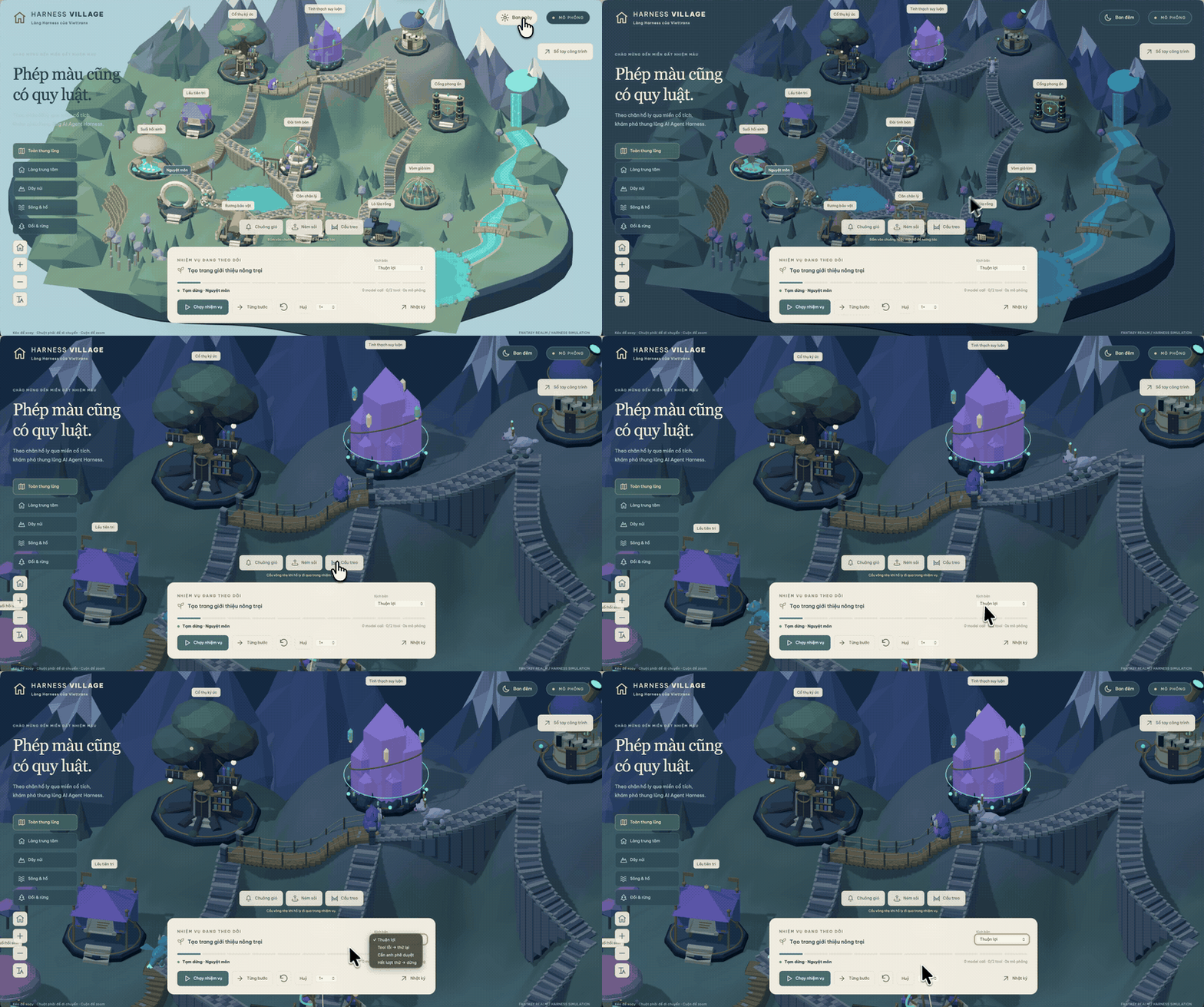
Turn an idea into a 3D scene worth exploring.
Visual inspiration, not a benchmark. An author-supplied project recorded before this skill existed; its UI contains Vietnamese. Historical footage, not an English demo or a runtime test of the skill — see media provenance .
🤌 Website: https://3dviz.dev/
What's New in v2.0
Intelligent Design System Generation
The flagship feature of v2.0 is the Design System Generator - an AI-powered reasoning engine that analyzes your project requirements and generates a complete, tailored design system in seconds.
+----------------------------------------------------------------------------------------+ | TARGET: Serenity Spa - RECOMMENDED DESIGN SYSTEM | +----------------------------------------------------------------------------------------+ | | | PATTERN: Hero-Centric + Social Proof | | Conversion: Emotion-driven with trust elements | | CTA: Above fold, repeated after testimonials | | Sections: | | 1.
Hero | | 2. Services | | 3. Testimonials | | 4. Booking | | 5.
Contact | | | | STYLE: Soft UI Evolution | | Keywords: Soft shadows, subtle depth, calming, premium feel, organic shapes | | Best For: Wellness, beauty, lifestyle brands, premium services | | Performance: cost:low | Accessibility: risk:conditional; verify requirements | | | | COLORS: | | Primary: #E8B4B8 (Soft Pink) | | Secondary: #A8D5BA (Sage Green) | | CTA: #D4AF37 (Gold) | | Background: #FFF5F5 (Warm White) | | Text: #2D3436 (Charcoal) | | Notes: Calming palette with gold accents for luxury feel | | | | TYPOGRAPHY: Cormorant Garamond / Montserrat | | Mood: Elegant, calming, sophisticated | | Best For: Luxury brands, wellness, beauty, editorial | | Google Fonts: https://fonts.
google.com/share?selection.family=.
| | | | KEY EFFECTS: | | Soft shadows + Context-appropriate transitions + Gentle hover states | | | | AVOID (Anti-patterns): | | Bright neon colors + Harsh animations + Dark mode + AI purple/pink gradients | | | | PRE-DELIVERY CHECKLIST: | | [ ] No emojis as icons (use SVG: Heroicons/Lucide) | | [ ] cursor-pointer on all clickable elements | | [ ] Interaction timing follows the platform, component, and user preference | | [ ] Light mode: text contrast 4.
5:1 minimum | | [ ] Focus states visible for keyboard nav | | [ ] prefers-reduced-motion respected | | [ ] Text, chips, and badges reflow without clipping or broken labels | | [ ] Responsive: 375px, 768px, 1024px, 1440px | | | +----------------------------------------------------------------------------------------+
How Design System Generation Works
┌─────────────────────────────────────────────────────────────────┐ │ 1.
USER REQUEST │ │ "Build a landing page for my beauty spa" │ └─────────────────────────────────────────────────────────────────┘ │ ▼ ┌─────────────────────────────────────────────────────────────────┐ │ 2.
MULTI-DOMAIN SEARCH (5 parallel searches) │ │ • Product type matching (192 categories) │ │ • Style recommendations (79 searchable; 50 active) │ │ • Color palette selection (192 palettes) │ │ • Landing page patterns (34 patterns) │ │ • Typography pairing (74 font combinations) │ └─────────────────────────────────────────────────────────────────┘ │ ▼ ┌─────────────────────────────────────────────────────────────────┐ │ 3.
REASONING ENGINE │ │ • Match product → UI category rules │ │ • Apply style priorities (BM25 ranking) │ │ • Filter anti-patterns for industry │ │ • Process decision rules (JSON conditions) │ └─────────────────────────────────────────────────────────────────┘ │ ▼ ┌─────────────────────────────────────────────────────────────────┐ │ 4.
COMPLETE DESIGN SYSTEM OUTPUT │ │ Pattern + Style + Colors + Typography + Effects │ │ + Anti-patterns to avoid + Pre-delivery checklist │ └─────────────────────────────────────────────────────────────────┘
192 Industry-Specific Reasoning Rules
The reasoning engine includes specialized rules for:
Category Examples
Tech & SaaS SaaS, Micro SaaS, B2B Service, Developer Tool / IDE, AI/Chatbot Platform, Cybersecurity Platform
Finance Fintech/Crypto, Banking, Insurance, Personal Finance Tracker, Invoice & Billing Tool
Healthcare Medical Clinic, Pharmacy, Dental, Veterinary, Mental Health, Medication Reminder
E-commerce General, Luxury, Marketplace (P2P), Subscription Box, Food Delivery
Services Beauty/Spa, Restaurant, Hotel, Legal, Home Services, Booking & Appointment
Creative Portfolio, Agency, Photography, Gaming, Music Streaming, Photo/Video Editor
Lifestyle Habit Tracker, Recipe & Cooking, Meditation, Weather, Diary, Mood Tracker
Emerging Tech Web3/NFT, Spatial Computing, Quantum Computing, Autonomous Drone Fleet
Each rule includes:
- Recommended Pattern - Landing page structure
- Style Priority - Best matching UI styles
- Color Mood - Industry-appropriate palettes
- Typography Mood - Font personality matching
- Key Effects - Animations and interactions
- Anti-Patterns - What NOT to do (e.g., "AI purple/pink gradients" for banking)
Features
- 79 Searchable UI Styles (50 active) - Glassmorphism, Claymorphism, Minimalism, Brutalism, Neumorphism, Bento Grid, Dark Mode, AI-Native UI, and more
- 192 Color Palettes - Industry-specific palettes aligned 1:1 with the 192 product types
- 74 Font Pairings - Curated typography combinations with Google Fonts imports
- 25 Chart Types - Recommendations for dashboards and analytics
- 22 Tech Stacks - React, Next.js, Astro, Vue, Nuxt.js, Nuxt UI, Svelte, SwiftUI, React Native, Flutter, HTML+Tailwind, shadcn/ui, Jetpack Compose, Angular, Laravel, Three.js, JavaFX, WPF, WinUI 3, UWP, Avalonia, Uno Platform
- 119 UX Guidelines - Best practices, anti-patterns, accessibility rules, resilient text layout, compact labels, and cancellable interactions
- 192 Reasoning Rules - Industry-specific design system generation (NEW in v2.0)
Resilient Text and Compact UI
The guidance now covers common production failures around headings, long tokens, chips, badges, and interrupted micro-interactions:
specific word will remain on the last line. Designs must still work with natural wrapping across widths, fonts, and locales.
- Balanced heading wrapping is a progressive enhancement, not a guarantee that a
scaling, and user spacing overrides. Long URLs and identifiers may wrap safely.
- Essential text must reflow without clipping at narrow widths, browser zoom, text
label should remain whole when practical; unavoidable truncation needs an accessible full-value path for keyboard, pointer, and touch users.
- Chip and tag collections should wrap or use an operable +n disclosure. A compact
visible focus, and programmatic state; live counts need meaningful context.
- Badge meaning cannot rely on color alone. Interactive chips need native semantics,
content must remain correct. Timing is selected for the platform and component, with reduced-motion preferences respected.
- Rapid interactions may cancel animation, but the final semantic state, focus, and
Style Taxonomy
The catalog contains 79 searchable styles backed by stable IDs and aliases:
Status Count Search behavior
Active 50 Included in normal recommendations and shown by default in the gallery
Supplemental 29 Returned for exact or explicit variant/system intent; available through the gallery status filter
Deprecated 9 Excluded from normal ranking; legacy names redirect to a canonical style or landing pattern
The active set covers 43 general visual families, 2 mobile-specific styles, 3 official platform/design systems, 1 platform material, and 1 core analytics style.
Current official systems include Fluent 2, Shopify Polaris, and Adobe Spectrum; Liquid Glass is scoped as an Apple platform material, Material 3 Expressive remains a mobile Material variant, and Spectrum 2 is supplemental.
Landing-page structures live in the separate 34-pattern landing dataset rather than competing with visual styles in BM25 ranking.
See styles.csv for the full taxonomy and provenance-aware metadata.
💎 Basic vs. Premium Version Comparison
Many users ask about the differences between the open-source and premium versions. Here is a detailed breakdown to help you choose the right fit for your workflow.
🟢 Basic Version (This Repository)
- Fully Open Source: Perfect for individual developers, hobbyists, and standard projects.
- Core UI/UX Intelligence: Full access to 79 searchable UI styles (50 active), 192 product types, color palettes, and curated font pairings.
- Smart Recommendations: Built-in BM25 search engine for highly accurate design matching.
- Cross-Platform Support: Stack-specific guidelines supporting 22 major frameworks (React, Vue, Tailwind, iOS, Android, etc.).
- Design System Generation: Instantly generate tailored UI rules, patterns, and logic via CLI.
🟡 Premium Version
- Extended Brand Design Skills: Goes beyond UI/UX to include Brand Identity generation, Logo Design, Corporate Identity Programs (CIP), Banners, Presentation Slides, and custom Iconography.
- Advanced Asset Creation: Deep integration with AI-powered image generation to create real visual assets, not just placeholders.
- Enterprise Architecture: A more comprehensive and scalable Design Token architecture, built for large-scale team deployments.
- Priority Support: Dedicated technical assistance for teams and professionals who need an uninterrupted full design workflow.
👉 For more details on upgrading to the Premium tier, visit uupm.cc .
Installation
Using Claude Marketplace (Claude Code)
Install directly in Claude Code with two commands:
/plugin marketplace add nextlevelbuilder/ui-ux-pro-max-skill /plugin install ui-ux-pro-max@ui-ux-pro-max-skill
Using CLI (Recommended)
Install CLI globally
npm install -g ui-ux-pro-max-cliGo to your project
cd /path/to/your/projectInstall for your AI assistant
uipro init --ai claude # Claude Code uipro init --ai cursor # Cursor uipro init --ai windsurf # Windsurf uipro init --ai antigravity # Antigravity uipro init --ai copilot # GitHub Copilot uipro init --ai kiro # Kiro uipro init --ai codex # Codex CLI uipro init --ai qoder # Qoder uipro init --ai roocode # Roo Code uipro init --ai gemini # Gemini CLI uipro init --ai trae # Trae uipro init --ai opencode # OpenCode uipro init --ai continue # Continue uipro init --ai codebuddy # CodeBuddy uipro init --ai droid # Droid (Factory) uipro init --ai kilocode # KiloCode uipro init --ai warp # Warp uipro init --ai augment # Augment uipro init --ai codewhale # CodeWhale uipro init --ai universal # Universal / Agent Standard (.
agents/skills/) uipro init --ai all # All assistants
The npm package is ui-ux-pro-max-cli ; it still installs the uipro command. Older uipro-cli releases are stale and should not be used for current assets.
Global Install (Available for All Projects)
uipro init --ai claude --global # Install to ~/.claude/skills/ uipro init --ai cursor --global # Install to ~/.cursor/skills/ uipro init --ai universal --global # Install to ~/.agents/skills/
Other CLI Commands
uipro versions # List available versions uipro update # Refresh skill files from installed CLI package uipro update --global # Refresh global skill files from installed CLI package uipro init --offline # Compatibility flag; installs bundled templates uipro init --dry-run # Preview install actions without writing files uipro uninstall # Remove skill (auto-detect platform) uipro uninstall --ai claude # Remove specific platform uipro uninstall --global # Remove from global install
Prerequisites
Python 3.x is required for the search script (standard library only — the scripts install nothing and make no network calls).Check if Python is installed:
python3 --versionIf it is missing, install it yourself from python.org or with your OS package manager (Homebrew, apt, winget). These install steps are for you, the human user — AI agents using this skill should never install software on your machine; they are instructed to ask you instead.
Usage
Skill Mode (Auto-activate)
Supported: Claude Code, Cursor, Windsurf, Antigravity, Codex CLI, Continue, Gemini CLI, OpenCode, Qoder, CodeBuddy, Droid (Factory), KiloCode, Warp, Augment, CodeWhale
The skill activates automatically when you request UI/UX work. Just chat naturally:
Build a landing page for my SaaS product
Trae : Switch to SOLO mode first. The skill will activate for UI/UX requests.
Workflow Mode (Slash Command)
Supported: Kiro, GitHub Copilot, Roo Code, KiloCode
Use the slash command to invoke the skill:
/ui-ux-pro-max Build a landing page for my SaaS product
Example Prompts
Build a landing page for my SaaS product
Create a dashboard for healthcare analytics
Design a portfolio website with dark mode
Make a mobile app UI for e-commerceBuild a fintech banking app with dark theme
How It Works
- You ask - Request any UI/UX task (build, design, create, implement, review, fix, improve)
- Design System Generated - The AI automatically generates a complete design system using the reasoning engine
- Smart recommendations - Based on your product type and requirements, it finds the best matching styles, colors, and typography
- Code generation - Implements the UI with proper colors, fonts, spacing, and best practices
- Pre-delivery checks - Validates against common UI/UX anti-patterns
Supported Stacks
The skill provides stack-specific guidelines for:
Category Stacks
Web (HTML) HTML + Tailwind (default)
React Ecosystem React, Next.js, shadcn/ui
Vue Ecosystem Vue, Nuxt.js, Nuxt UI
Angular Angular
PHP Laravel (Blade, Livewire, Inertia.js)
Other Web Svelte, Astro, Three.js
Desktop JavaFX, WPF, WinUI 3, Avalonia, Uno Platform, UWP
iOS SwiftUI
Android Jetpack Compose
Cross-Platform React Native, Flutter
Just mention your preferred stack in the prompt, or let it default to HTML + Tailwind.
Design System Command (Advanced)
For direct access to the design system generator:
Note: If you installed via Continue, replace .claude/skills/ with .continue/skills/ in the commands below. For Droid (Factory), use .factory/skills/ .
Generate design system with ASCII output
python3 .claude/skills/ui-ux-pro-max/scripts/search.py " beauty spa wellness " --design-system -p " Serenity Spa "Generate with Markdown output
python3 .claude/skills/ui-ux-pro-max/scripts/search.py " fintech banking " --design-system -f markdownDomain-specific search
python3 .claude/skills/ui-ux-pro-max/scripts/search.py " glassmorphism " --domain stylepython3 .claude/skills/ui-ux-pro-max/scripts/search.py " elegant serif " --domain typographypython3 .claude/skills/ui-ux-pro-max/scripts/search.py " dashboard " --domain chartpython3 .claude/skills/ui-ux-pro-max/scripts/search.py " error summary validation " --domain uxpython3 .claude/skills/ui-ux-pro-max/scripts/search.py " decorative icon aria hidden " --domain iconspython3 .claude/skills/ui-ux-pro-max/scripts/search.py " icon button accessible label " --domain iconspython3 .claude/skills/ui-ux-pro-max/scripts/search.py " orphan heading line balance " --domain uxpython3 .claude/skills/ui-ux-pro-max/scripts/search.py " badge chip label wraps to second line " --domain uxpython3 .claude/skills/ui-ux-pro-max/scripts/search.py " rapid chip animation interrupted " --domain uxStack-specific guidelines
python3 .claude/skills/ui-ux-pro-max/scripts/search.py " form validation " --stack reactpython3 .claude/skills/ui-ux-pro-max/scripts/search.py " responsive layout " --stack html-tailwindpython3 .claude/skills/ui-ux-pro-max/scripts/search.py " chip badge overflow nowrap " --stack html-tailwindpython3 .claude/skills/ui-ux-pro-max/scripts/search.py " tableview binding " --stack javafxpython3 .claude/skills/ui-ux-pro-max/scripts/search.py " atlantafx primer enterprise theme " --stack javafxpython3 .claude/skills/ui-ux-pro-max/scripts/search.py " enterprise tableview density permission " --stack javafxWeb-stack search is version-aware. Queries without an older major return current, active guidance. Explicit legacy terms or older majors (for example, Svelte 4 or Next.
js 15 ) return only curated legacy rows, labeled by Status and Applies To ; when no matching legacy guidance is curated, search returns no results instead of mixing framework generations.
Persist Design System (Master + Overrides Pattern)
Save your design system to files for hierarchical retrieval across sessions :
Generate and persist to design-system/myapp/MASTER.md
python3 .claude/skills/ui-ux-pro-max/scripts/search.py " SaaS dashboard " --design-system --persist -p " MyApp "Also create a page-specific override file
python3 .claude/skills/ui-ux-pro-max/scripts/search.py " SaaS dashboard " --design-system --persist -p " MyApp " --page " dashboard "This creates a design-system/ folder structure:
design-system/ └── myapp/ # One folder per project (slug of -p "MyApp") ├── MASTER.md # Global Source of Truth (colors, typography, spacing, components) └── pages/ └── dashboard.md # Page-specific overrides (only deviations from Master)
How hierarchical retrieval works:
- When building a specific page (e.g., "Checkout"), first check design-system/[project-slug]/pages/checkout.md
- If the page file exists, its rules override the Master file
- If not, use design-system/[project-slug]/MASTER.md exclusively
Context-aware retrieval prompt:
I am building the [Page Name] page. Please read design-system/[project-slug]/MASTER.md. Also check if design-system/[project-slug]/pages/[page-name].md exists. If the page file exists, prioritize its rules. If not, use the Master rules exclusively. Now, generate the code...
Architecture & Contributing
For Users
The codebase has been restructured to use a template-based generation system . All platform-specific files ( .cursor/ , .windsurf/ , .kiro/ , .factory/ , etc.) are now generated dynamically by the CLI.
Always use the CLI to install:
npm install -g ui-ux-pro-max-cliuipro init --ai < platform >
This ensures you get the latest templates bundled with the installed CLI package and the correct file structure for your AI assistant. Update the npm package first when a new release is published.
For Contributors
If you want to contribute to this project:
1. Clone the repository
git clone https://github.com/nextlevelbuilder/ui-ux-pro-max-skill.gitcd ui-ux-pro-max-skill2. Understand the structure
src/ui-ux-pro-max/ # Source of truth (data, scripts, templates) cli/ # CLI installer (generates files from templates) .claude/ # Local dev/test for Claude Code skill .factory/ # Local dev/test for Droid (Factory) skill
3. Make changes in src/ui-ux-pro-max/
- data/*.csv → Database files
- scripts/*.py → Search engine & design system
- templates/ → Platform-specific templates
4. Sync to CLI and test locally
cd clinpm run sync:assetsnpm run check:assetsnpm run verify:datanpm run typecheck5. Build and test CLI
npm run build uses Bun when available and falls back to TypeScript compiler output after npm ci.
npm run buildnode dist/index.js init --ai claude --offline # Test in a temp folder node dist/index.js init --ai claude --dry-run # Preview install actions (no writes)
6. Create PR (never push directly to main)
git checkout -b feat/your-featuregit commit -m " feat: description "git push -u origin feat/your-featuregh pr createSee CLAUDE.md for detailed development guidelines.
Catalog provenance and refresh
The committed catalog summary currently records 1,934 approved Google Fonts plus 8 review exclusions that are not promoted without matching official license metadata.
The icon guidance remains 105 curated rows (100 direct Phosphor web imports plus React Native/fallback guidance); the separate 1,512-icon upstream Phosphor manifest validates names, weights, and React/SSR imports without flooding search results with the entire upstream package.
Ordinary development and pull-request CI are network-independent. Run the full offline gate, including snapshot hashes and generated count validation, with:
npm --prefix cli run verify:dataOr check only the generated catalog summary:
npm --prefix cli run validate:catalog-summaryRefresh normalization can also be exercised entirely offline against the committed fixtures. Outputs go to a temporary candidate directory and never replace canonical data:
candidate_dir= " $( mktemp -d ) "
python3 scripts/refresh-google-fonts.py \--api-input src/ui-ux-pro-max/scripts/tests/fixtures/catalogs/google-api.json \ --metadata-input src/ui-ux-pro-max/scripts/tests/fixtures/catalogs/google-metadata.json \ --existing-csv src/ui-ux-pro-max/scripts/tests/fixtures/catalogs/google-existing.
csv \ --overrides src/ui-ux-pro-max/scripts/tests/fixtures/catalogs/google-overrides.json \ --output-csv " $candidate_dir /google-fonts.csv " \ --license-output " $candidate_dir /google-font-licenses.
json " \ --metadata-revision fixture-catalogs-v1 \ --verified-at 2026-08-13 --expected-count 2 --approve-changes
python3 scripts/refresh-icon-catalog.py \--input src/ui-ux-pro-max/scripts/tests/fixtures/catalogs/phosphor-core.json \ --package-json src/ui-ux-pro-max/scripts/tests/fixtures/catalogs/phosphor-package.
json \ --react-package-json src/ui-ux-pro-max/scripts/tests/fixtures/catalogs/phosphor-react-package.json \ --react-exports-input src/ui-ux-pro-max/scripts/tests/fixtures/catalogs/phosphor-react-exports.
json \ --curated-csv src/ui-ux-pro-max/scripts/tests/fixtures/catalogs/icons-curated.csv \ --output " $candidate_dir /phosphor-icons-upstream.json " \ --verified-at 2026-08-13 --expected-count 2
Live upstream refresh is intentionally isolated in the refresh-catalogs.yml workflow, scheduled for Mondays at 03:17 UTC and also available on demand. Configure GOOGLE_FONTS_API_KEY as a GitHub Actions secret, then run and download its review artifact:
gh workflow run refresh-catalogs.ymlrun_id= " $( gh run list --workflow refresh-catalogs.yml --limit 1 --json databaseId --jq ' .[0].databaseId ' ) "
gh run watch " $run_id "gh run download " $run_id " --name " catalog-refresh-review- $run_id "The workflow reads the Google Fonts Developer API and pinned official Phosphor packages, writes candidates and unified diffs to an artifact, and has read-only repository permissions. It never commits, pushes, opens a PR, or merges.
Review the change reports, exclusions, licenses, relevance metrics, and offline gate before manually promoting candidate files into src/ui-ux-pro-max/data/ .
Automated Releases
This repository uses semantic-release with Conventional Commits to create GitHub releases automatically:
- dev branch creates beta GitHub prereleases such as 2.6.0-beta.1 .
- main branch creates official stable GitHub releases such as 2.6.0 .
Release notes and CHANGELOG.md are generated from Conventional Commit messages. Version numbers are synchronized across skill.json , .claude-plugin/plugin.json , .claude-plugin/marketplace.json , cli/package.json , and cli/package-lock.json during release preparation.
Use these commit types for correct version bumps:
- fix: -> patch release
- feat: -> minor release
- feat!: or BREAKING CHANGE: -> major release
The release workflow uses the default GITHUB_TOKEN for GitHub releases and the repository NPM_TOKEN secret to publish ui-ux-pro-max-cli to npm.
Troubleshooting
uipro: unknown command 'uninstall' or unknown command 'update'
Your installed version of ui-ux-pro-max-cli is outdated. Update it and retry:
npm install -g ui-ux-pro-max-cli@latestuipro uninstall
uipro uninstall says "No installed AI skill directories detected"
The skill was installed in a different directory than where you're running the command. Either:
Option A — run from the project root where you originally installed it
cd /path/to/your/projectuipro uninstall
Option B — remove the global install
uipro uninstall --global
Option C — remove manually
rm -rf .claude/skills/ui-ux-pro-max # Claude Code rm -rf .cursor/skills/ui-ux-pro-max # Cursor rm -rf .windsurf/skills/ui-ux-pro-max # Windsurf rm -rf .agents/skills/ui-ux-pro-max # Antigravity / Codex
Claude.ai's "Upload a skill" dialog says "Zip contains too many files (maximum 200)"
Do not upload the full GitHub repository ZIP. It is a development checkout that includes source code, CLI assets, documentation, previews, and multiple bundled skills, so it exceeds Claude's 200-file upload limit.
It is not a Claude skill upload artifact, and this project does not currently publish a separate manual-upload ZIP for Claude.ai.
For Claude Code, install through the Marketplace:
/plugin marketplace add nextlevelbuilder/ui-ux-pro-max-skill /plugin install ui-ux-pro-max@ui-ux-pro-max-skill
Or use the CLI installer:
npx ui-ux-pro-max-cli init --ai claudeClaude Marketplace install fails with "Zip file contains a symbolic link"
This is a known issue with versions prior to v2.5.1. The repository used symlinks internally which some installation tools can't handle. Fix: use the CLI installer instead:
npm install -g ui-ux-pro-max-cliuipro init --ai claude
Or wait for the next release where this is resolved.
npm install -g ui-ux-pro-max-cli fails with permission errorUse a Node version manager (recommended), or skip the global install entirely:
npx without installing globally
npx ui-ux-pro-max-cli init --ai claudePython not found when running design system commandsThe search scripts require Python 3.x. Install it manually from python.org or with your OS package manager (Homebrew, apt, winget). AI agents should not install it for you — they are instructed to ask you instead.
Design system output is cut off / fields truncated
Human-readable output truncates long fields at 300 characters. Use --json to get the full, untruncated data:
python3 .claude/skills/ui-ux-pro-max/scripts/search.py " SaaS " --domain style --jsonStar History
License
This project is licensed under the MIT License .
Compatible Agents
This skill works with:
- Claude Code
- AdaL - Self-evolving AI coding agent ( Docs | GitHub )
— 本文由 AI 根据公开来源辅助整理,命令、版本与许可证请在使用前到原始页面复核。
安装 / 开始使用
The flagship feature of v2.0 is the Design System Generator - an AI-powered reasoning engine that analyzes your project requirements and generates a complete, tailored design system in seconds.
+----------------------------------------------------------------------------------------+ | TARGET: Serenity Spa - RECOMMENDED DESIGN SYSTEM | +----------------------------------------------------------------------------------------+ | | | PATTERN: Hero-Centric + Social Proof | | Conversion: Emotion-driven with trust elements | | CTA: Above fold, repeated after testimonials | | Sections: | | 1.
Hero | | 2. Services | | 3. Testimonials | | 4. Booking | | 5.
Contact | | | | STYLE: Soft UI Evolution | | Keywords: Soft shadows, subtle depth, calming, premium feel, organic shapes | | Best For: Wellness, beauty, lifestyle brands, premium services | | Performance: cost:low | Accessibility: risk:conditional; verify requirements | | | | COLORS: | | Primary: #E8B4B8 (Soft Pink) | | Secondary: #A8D5BA (Sage Green) | | CTA: #D4AF37 (Gold) | | Background: #FFF5F5 (Warm White) | | Text: #2D3436 (Charcoal) | | Notes: Calming palette with gold accents for luxury feel | | | | TYPOGRAPHY: Cormorant Garamond / Montserrat | | Mood: Elegant, calming, sophisticated | | Best For: Luxury brands, wellness, beauty, editorial | | Google Fonts: https://fonts.
google.com/share?selection.family=.
| | | | KEY EFFECTS: | | Soft shadows + Context-appropriate transitions + Gentle hover states | | | | AVOID (Anti-patterns): | | Bright neon colors + Harsh animations + Dark mode + AI purple/pink gradients | | | | PRE-DELIVERY CHECKLIST: | | [ ] No emojis as icons (use SVG: Heroicons/Lucide) | | [ ] cursor-pointer on all clickable elements | | [ ] Interaction timing follows the platform, component, and user preference | | [ ] Light mode: text contrast 4.
5:1 minimum | | [ ] Focus states visible for keyboard nav | | [ ] prefers-reduced-motion respected | | [ ] Text, chips, and badges reflow without clipping or broken labels | | [ ] Responsive: 375px, 768px, 1024px, 1440px | | | +----------------------------------------------------------------------------------------+ How Design System Generation Works ┌─────────────────────────────────────────────────────────────────┐ │ 1.
USER REQUEST │ │ "Build a landing page for my beauty spa" │ └─────────────────────────────────────────────────────────────────┘ │ ▼ ┌─────────────────────────────────────────────────────────────────┐ │ 2.
MULTI-DOMAIN SEARCH (5 parallel searches) │ │ • Product type matching (192 categories) │ │ • Style recommendations (79 searchable; 50 active) │ │ • Color palette selection (192 palettes) │ │ • Landing page patterns (34 patterns) │ │ • Typography pairing (74 font combinations) │ └─────────────────────────────────────────────────────────────────┘ │ ▼ ┌─────────────────────────────────────────────────────────────────┐ │ 3.
REASONING ENGINE │ │ • Match product → UI category rules │ │ • Apply style priorities (BM25 ranking) │ │ • Filter anti-patterns for industry │ │ • Process decision rules (JSON conditions) │ └─────────────────────────────────────────────────────────────────┘ │ ▼ ┌─────────────────────────────────────────────────────────────────┐ │ 4.
COMPLETE DESIGN SYSTEM OUTPUT │ │ Pattern + Style + Colors + Typography + Effects │ │ + Anti-patterns to avoid + Pre-delivery checklist │ └─────────────────────────────────────────────────────────────────┘ 192 Industry-Specific Reasoning Rules The reasoning engine includes specialized rules for: Category Examples Tech & SaaS SaaS, Micro SaaS, B2B Service, Developer Tool / IDE, AI/Chatbot Platform, Cybersecurity Platform Finance Fintech/Crypto, Banking, Insurance, Personal Finance Tracker, Invoice & Billing Tool Healthcare