opencodex:让 Codex / Claude Code / Claude Desktop / Grok Build 使用任意 LLM 的通用 Provider 本地代理
opencodex 是一个轻量本地代理,把 Codex 的 Responses API 与各供应商协议互转(流式、工具调用、推理 token、图像双向支持),让 Codex CLI/App/SDK、Claude Code、Claude Desktop、Grok Build 都能跑 Claude、Gemini、Grok、GLM、DeepSeek、Kimi、Qwen、Ollama 或任意 OpenAI 兼容端点。内置 40+ provider、ChatGPT 账号池配额路由、combo 故障转移/加权轮询、子代理路由、OAuth 免密登录、Web 仪表盘与实时请求日志,MIT 许可,两行命令即可启动。
社区作者 · zZz
它解决什么问题
项目定位
opencodex 是一个轻量级本地代理,把 Codex 的 Responses API 翻译成目标供应商使用的协议——流式输出、工具调用、推理 token、图像,双向都支持。它让 Claude、Gemini、Grok、GLM、DeepSeek、Kimi
— 本文由 AI 根据公开来源辅助整理,命令、版本与许可证请在使用前到原始页面复核。
安装 / 开始使用
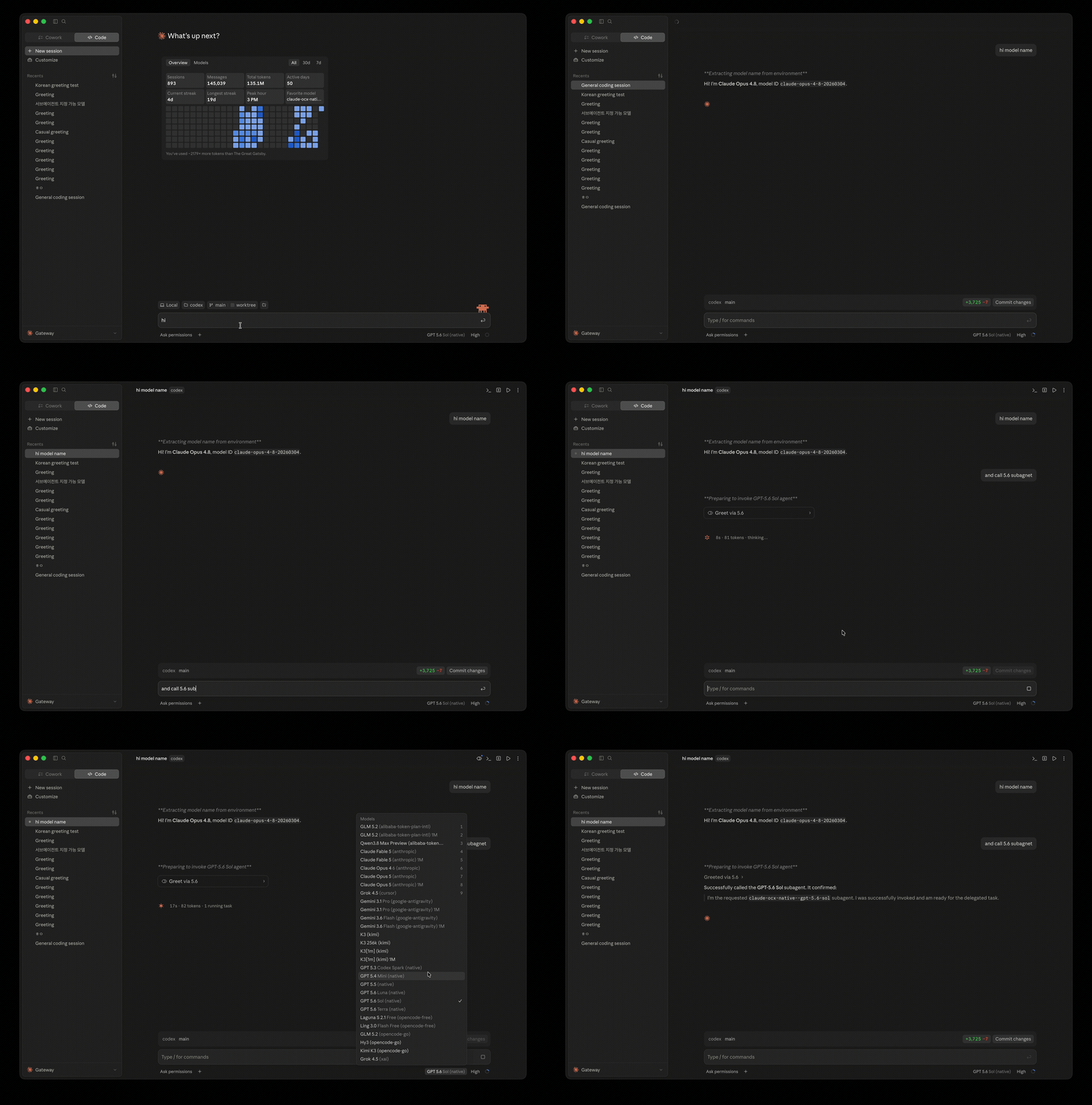
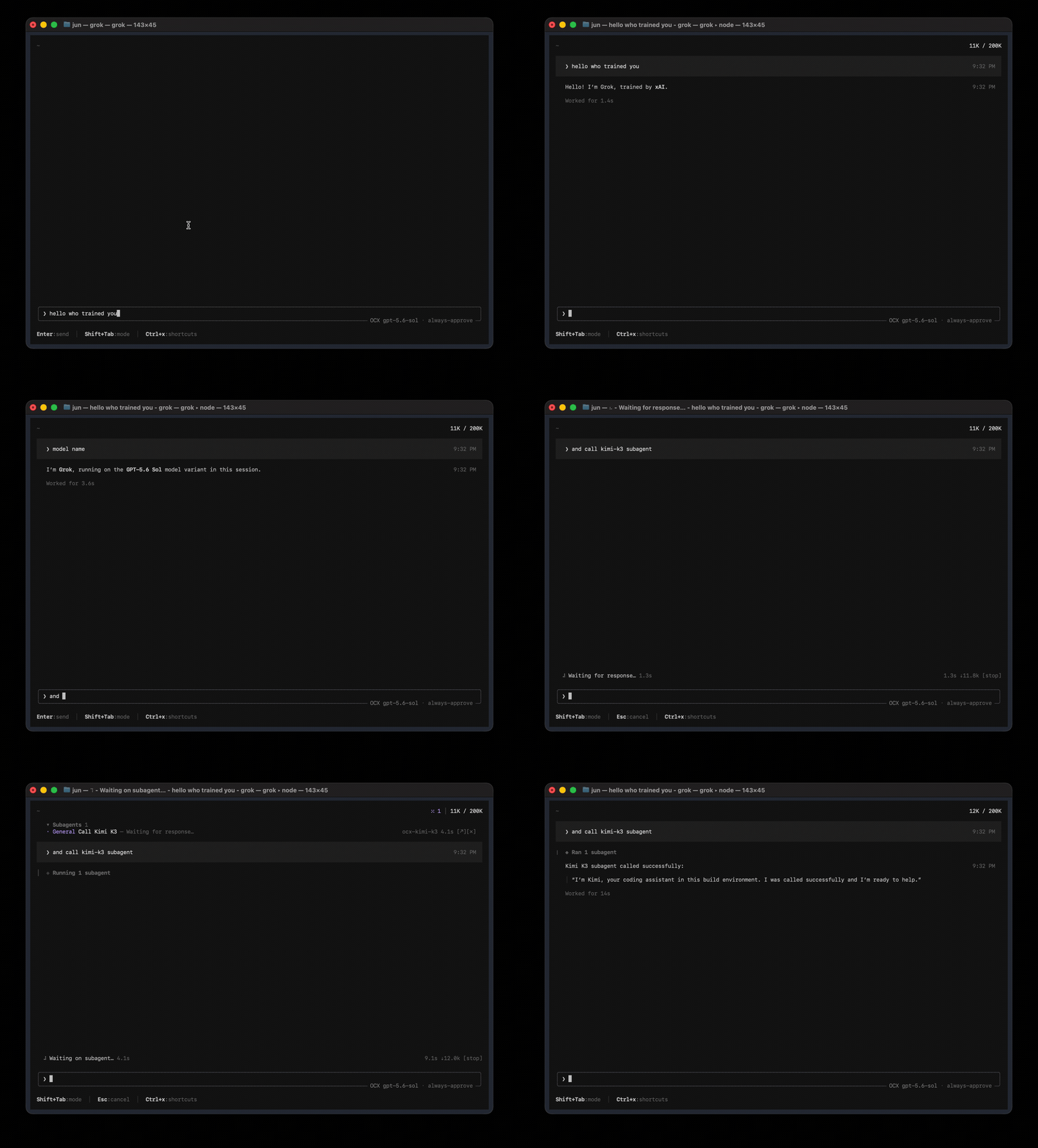
npm install -g @bitkyc08/opencodexocx start Claude Code, running any model The picker is stock Claude Code. The brain behind it isn't. Codex, running any model Pick a provider and go — same workflow, different brain.
Claude Desktop, running any model Opus answers, then hands the task to a GPT-5.6 Sol subagent. Grok Build, running any model Sol drives the session and calls a Kimi K3 subagent.
English · Français · 한국어 · 简体中文 · 繁體中文 · Русский · 日本語 · Türkçe · 📖 Full documentation → opencodex is a lightweight local proxy that translates Codex's Responses API into whatever your provider speaks — streaming, tool calls, reasoning tokens, images, in both directions.
Use Claude, Gemini, Grok, GLM, DeepSeek, Kimi, Qwen, Ollama, or any other LLM with Codex, Claude Code, Claude Desktop, and Grok Build.
It can also manage a ChatGPT account pool for Codex auth: add accounts, refresh their quotas in the dashboard, and let new sessions auto-route to the lowest-usage healthy account while existing threads stay pinned to the account that started them.
Quick start Personal install
npm install -g @bitkyc08/opencodex # Node 18+; the Bun runtime is bundled automaticallyocx start # proxy + dashboard on localhost:10100 Use ocx service to run it in the background.
Open http://localhost:10100 and configure everything in the web dashboard — add providers (40+ built-ins, or any OpenAI-compatible endpoint), pick models, manage accounts. ocx gui re-opens the dashboard at any time.
It can also manage a ChatGPT account pool for Codex auth. Add multiple ChatGPT / Codex accounts, refresh their 5h / weekly / 30d quota in the dashboard.
Under quota routing, new sessions can use the lowest-usage healthy account; round-robin and fill-first use their own policies.
Existing Codex threads normally retain affinity to the account that started them, so long SSH, tmux, or mobile-connected sessions do not jump accounts mid-conversation — but quota re-evaluation, failover, account exclusion, affinity expiry, or 401/403 and 429 recovery can rebind them.
Give the accounts a selection order when one of them — usually your Codex Desktop login — should only be reached for once the others are drained. Sponsors Sponsors keep opencodex maintained across every upstream protocol change. Interested? See SPONSORS.md .
Thanks to OrcaRouter for sponsoring this project!
OrcaRouter is one OpenAI-compatible AI gateway for production AI: adaptive routing that grades every prompt and sends it to the model that clears your bar, automatic failover, routing rules as code, zero-markup provider pricing with prompt caching, and guardrails, an agent firewall, and request logs on every call across 200+ models.
Pick OrcaRouter in the Add provider picker or run ocx provider add orcarouter ; orcarouter/auto is the adaptive router. Thanks to PackyCode for sponsoring this project!
PackyCode is a stable, high-performance API relay provider, offering relay services for Claude Code, Codex, Gemini, and more. With automatic failover, smart routing, and unlimited concurrency, it turns AI into a real productivity tool.
Register via this link and get started! Pick PackyCode in the Add provider picker or run ocx provider add packycode . PackyCode 是一家稳定、高效的 API 中转服务商,提供 Claude Code、Codex、Gemini 等多种中转服务。具备自动故障转移、智能路由和无限并发等多种功能,让 AI 编程成为真正的生产力工具。 点此链接注册 ,立即开始使用!
Docker ComposeThe repository ships a digest-pinned, non-root Compose build. With Git and Bun installed on the host, generate the canonical compatibility manifest before every image build, then initialize the data-plane token once through stdin and start the hub:
git clone https://github.com/lidge-jun/opencodex.gitcd opencodexbun scripts/generate-compatibility-version.tsdocker compose buildopenssl rand -hex 32 | docker compose run --rm -T hub bun run docker/bootstrap-token.ts
docker compose up -dcurl --fail --silent http://127.0.0.1:10100/healthzcurl --fail --silent http://127.0.0.1:10100/readyzThe default host binding is 127.0.0.1:10100 . Remote exposure requires explicit
OPENCODEX_BIND_ADDRESS=<LAN-or-Tailscale-IP> docker compose up -d ; 0.0.0.0 opts intoall host interfaces. Restrict access with a firewall and an authenticated TLS/tailnet frontend. The generated JSON stays untracked; it is copied into the image without including .git .
Regenerate it after source changes, and do not change the source between generation and build. The build rejects stale manifests, missing or mismatched files, extra source files, and symlinks.
It checks every recorded SHA-256 against the build context and copied runtime files, including package.json , bun.lock , and the specifically included scripts/model-metadata.source.json .
The token and mutable state stay in the ocx-state named volume; no credential is placed in the image, Compose file, environment, or shell arguments.
See the Remote Hub deployment guide for provider setup, authenticated acceptance checks, remote management, and rollback. Install from source (latest dev) macOS / Linux:
curl -fsSL https://bun.sh/install | bashgit clone https://github.com/lidge-jun/opencodex.gitcd opencodex && ~ /.bun/bin/bun install~ /.bun/bin/bun run src/cli/index.ts start Windows (PowerShell):
irm bun.sh / install.ps1 | iexgit clone https: // github.com / lidge - jun / opencodex.gitcd opencodex; bun installbun run src / cli / index.ts startSource install runs the latest dev branch. Memory ownership patches, runtime GC improvements, and unreleased fixes are available here before they reach the npm package. For agents
npm install -g @bitkyc08/opencodexocx start # or ocx service ocx init # interactive setup: writes ~/.opencodex/config.
json and wires Codex ocx init never starts the proxy; start it first (or after — either order works, but headless commands like ocx provider add and ocx combo set talk to the live proxy and exit nonzero when it is unreachable).
ocx status / ocx doctor / ocx health report the running state. Agents installing or running opencodex: read AGENTS_INSTALL.md . An interactive ocx start may ask once whether to star this repository — that is the user's decision, never an agent's.
The CLI suppresses the prompt for agent-driven runs and the API refuses them with 403 agent_consent_required . Supported platforms OS
来源教程配图